
Introduction of the guidance tool
The EXCEL4Housing Guidance Tool was designed to promote the reflection and optimize decision-making processes regarding the selection, capacity building, and practical application of the resources available into the EXCEL4Housing toolbox.
Acting as a structured guide, the tool leads users through a reflective analysis of their strategic objectives and operational needs, facilitating the identification of the tools best suited to their specific context and needs. Based on each resource's profile, the tool provides an overview of the required inputs and expected outputs, allowing for an evaluation of the tools' suitability prior to implementation.
In this way, the Guidance Tool serves an essential dual purpose: it acts as a catalyst for skill development (training and capacity building) and provides practical support in the direct execution of projects in the construction sector.
Connection with the EXCEL4Housing toolbox
The Guidance tool does not replace the Toolbox. It provides a structured pathway that guides users towards relevant tools according to their profile, selected project stage and specific needs.
Remark: The Guidance Tool and its content are built directly on the outcomes of the EXCEL4Housing project, incorporating identified learning profiles, user needs, and core project objectives and activities.
As a living resource, the tool's content will continuously evolve throughout the project lifecycle. The information, learning pathways, and recommended tools are subject to ongoing review and updates as new tools, project findings, and user feedback emerge.
Define yourself or your team
Reflect and define your role – Defining a simple user profile in the initial phase is an important step in driving meaningful self-reflection. Encouraging users to reflect on who they are and assess their current situation, helps to gain a clear understanding of user's background, needs and context.
This self-awareness lays a foundation for the entire guidance journey. Understanding the current baseline makes it significantly easier to identify specific training needs and select the most relevant tools.
This step does not change the recommendations. It helps you frame what you are looking for. Your answers are saved in this browser so you can pick up where you left off. We don't store your data.
Training areas
A wide array of tools currently exists across the construction value chain to support problem-solving, opportunity identification, monitoring, and decision-making. To harness these resources effectively, the EXCEL4Housing 4.0 Toolbox provides a systematic framework tailored to the project's core objectives.
Adopting a full life-cycle perspective, the toolbox integrates sustainability, efficiency, and digitalization to drive innovation in energy efficiency and the circular economy. It is specifically designed to build capacity and develop competencies aligned with the target learning profiles identified in the project. In order to organize the tools in a systematic way that promotes the use and application of these resources, the toolbox structure features 6 main groups/areas that allow for a comprehensive approach encompassing the diverse needs of the users. The six areas reflect the main activity and support stages addressed by EXCEL4Housing. Select one area that match your objectives, your selection will guide you to specific needs and relevant tool recommendations in the next steps.
Identify your needs
You selected Strategy. What do you need?
Select a need to see the recommended tools, why each one fits and which data you need to use it.
-
Why it fits
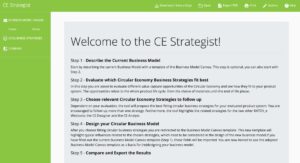
KATCH_e provides ideas and guidance for circular business-model design and strategy development.
Data requirementsInformation on the current business model to be analized is needed
Why it fitsThe Platform provides good practices, case studies and resources to support research, planning and circular business strategies.
Data requirementsNo technical input data is required. Users mainly need a clear topic or objective, such as circular construction, resource efficiency, business models, policy examples or stakeholder engagement. Basic knowledge of circular economy concepts is useful to search, compare and adapt the good practices, strategies, reports and toolkits available on the platform.
-
Why it fits
The platform provides practical examples, case studies, good practices and resources from circular-economy initiatives, helping users learn from existing experiences and approaches.
Data requirementsNo technical input data is required. Users mainly need a clear topic or objective, such as circular construction, resource efficiency, business models, policy examples or stakeholder engagement. Basic knowledge of circular economy concepts is useful to search, compare and adapt the good practices, strategies, reports and toolkits available on the platform.
-
Why it fits
The EU Taxonomy assessment tool helps users evaluate building activities against European sustainability criteria and understand their alignment with requirements related to sustainable finance.
Data requirementsProject documentation; energy performance data; material and construction specifications; lifecycle assumptions; environmental performance indicators
-
Why it fits
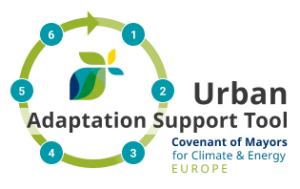
UAST provides a structured six-step process for assessing climate risks and vulnerabilities, identifying and evaluating adaptation options, developing action plans, implementing measures and monitoring results. It supports climate-resilient strategic and policy decisions.
Data requirementsThe tool can be explored with limited prior data. For a more detailed assessment, information on climate hazards and projections, exposed buildings or infrastructure, vulnerability and adaptive capacity, existing plans, stakeholders and local priorities is useful.
-
Why it fits
The introduction tool builds understanding of embodied and operational carbon and possible reduction approaches, while KATCH_e CE Strategist helps translate this knowledge into circular strategies and practical actions.
Data requirementsNo specific technical data is required. Users only need a general understanding of their project or context and carbon-reduction
Why it fitsKATCH_e provides ideas and guidance for circular business-model design and strategy development.
Data requirementsInformation on the current business model to be analized is needed
Why it fitsProvides guidance and practical instruments for understanding climate action, CO₂ accounting and strategies for reducing emissions and moving buildings or districts towards carbon neutrality.
Data requirementsBuilding operation data, energy and emissions information, project strategy context and climate-action objectives.
-
Why it fits
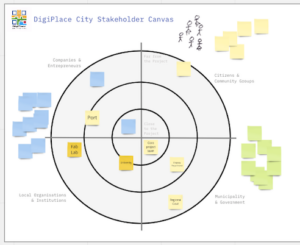
Helps users visually map relevant stakeholders, understand relationships between actors, and identify opportunities for engagement, collaboration and partnerships.
Data requirementsNo technical data is required. Users need basic information about the project and the relevant organisations, actors or stakeholder groups.
-
Why it fits
The Toolbox filter helps users narrow down available tools according to criteria such as project phase, need, difficulty, data requirements and sustainability goals, making it easier to identify the most suitable tools for their next steps.
Data requirementsBasic information about the user's needs and preferences, such as project phase, purpose, difficulty level, available data and sustainability goals.



You selected Planning and Design. What do you need?
Select a need to see the recommended tools, why each one fits and which data you need to use it.
-
Why it fits
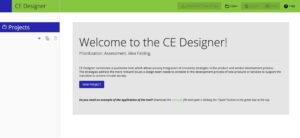
KATCH_e CE Designer supports circular-design thinking and the development of product/service improvement ideas.
Data requirementsThe user should have a good knowledge of the sustainability profile of the reference product or service along the life cycle or be provided with such information. Previous knowledge about CE and the strategies is recommended.
Why it fitsEC3 helps compare the embodied-carbon impact of construction materials and products, supporting lower-carbon design choices.
Data requirementsEC3 requires construction material quantities, usually obtained from BIM models, construction estimates, cost plans, or as-built data. Users also need basic project information and the material or product categories to be assessed. The tool links these quantities with digital, third-party verified EPD data to compare products and calculate embodied carbon impacts.
-
Why it fits
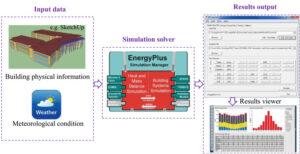
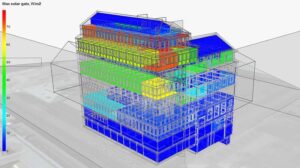
EnergyPlus allows detailed simulation of heating, cooling, ventilation, lighting and other energy uses.
Data requirementsBuilding geometry, location and weather file, envelope materials, windows and shading, occupancy and operation schedules, internal gains, ventilation and infiltration, HVAC systems and simulation settings. Basic knowledge of building physics and energy modelling is recommended.
Why it fitsIDA ICE supports dynamic simulation of energy performance and indoor climate, allowing different design options to be compared.
Data requirementsBIM model and information about heating and ventilation solutions, structure of thermal envelope and geographical localisation.
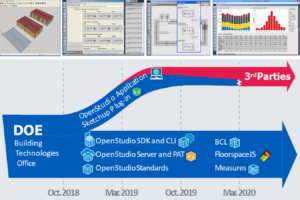
Why it fitsOpenStudio provides a user-friendly graphical environment for whole-building energy modelling using EnergyPlus, helping users compare design alternatives for the envelope, HVAC systems, lighting and other energy-efficiency measures.
Data requirementsBuilding geometry (e.g. SketchUp model or IFC), climate/weather file for the project location, thermal envelope properties (insulation, glazing, shading), occupancy and operation schedules, HVAC system type and parameters, internal gains, and ventilation/infiltration assumptions. Basic knowledge of building physics and energy modelling concepts is recommended.
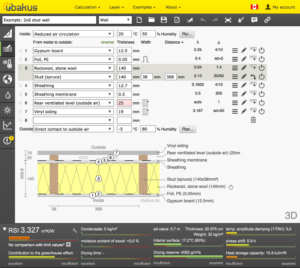
Why it fitsUbakus helps assess and improve the thermal performance of individual building elements by calculating U-values and evaluating insulation and moisture behaviour.
Data requirementsComponent layers, material type, thickness, climate assumptions and boundary conditions.
-
Why it fits
Autodesk Forma supports rapid site planning, massing studies and comparison of design alternatives using environmental analyses such as sun, daylight, wind, noise, microclimate and carbon.
Data requirementsSite location or GIS coordinates; terrain and site boundaries; surrounding buildings (optional); basic building geometry or massing; climate data (automatically available for most locations); project parameters such as floor area, height limits, land use, and design constraints.
-
Why it fits
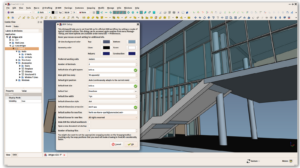
FreeCAD BIM Workbench supports open-source BIM modelling of existing buildings and development of retrofit design alternatives.
Data requirementsExisting building information such as plans, dimensions, photos or survey data; renovation objectives; basic space layout and building elements; and any available material or component information. Previous knowledge of CAD/BIM modelling and project documentation is useful.
Why it fitsAutodesk Revit Supports detailed BIM modelling, renovation design, documentation and coordination of retrofit interventions.
Data requirementsBuilding geometry, project location, levels and grids, architectural/structural/MEP design requirements, families/components, materials, dimensions, room/space data, and project standards. Basic knowledge of BIM modelling, construction drawings and design coordination is recommended.
Why it fitsEnergyPlus can then be used to evaluate how retrofit measures affect building energy performance.
Data requirementsBuilding geometry, location and weather file, envelope materials, windows and shading, occupancy and operation schedules, internal gains, ventilation and infiltration, HVAC systems and simulation settings. Basic knowledge of building physics and energy modelling is recommended.
-
Why it fits
VERDE 2030 provides a broader sustainability assessment of the building.
Data requirementsBuilding project information, architectural and technical specifications, material data, energy performance information, lifecycle environmental data, operational assumptions and sustainability-related project documentation.
Why it fitsEC3 helps compare the embodied-carbon impact of construction materials and products, supporting lower-carbon design choices.
Data requirementsEC3 requires construction material quantities, usually obtained from BIM models, construction estimates, cost plans, or as-built data. Users also need basic project information and the material or product categories to be assessed. The tool links these quantities with digital, third-party verified EPD data to compare products and calculate embodied carbon impacts.
Why it fitsKATCH_e CE Designer supports circular-design thinking and the development of product/service improvement ideas.
Data requirementsThe user should have a good knowledge of the sustainability profile of the reference product or service along the life cycle or be provided with such information. Previous knowledge about CE and the strategies is recommended.
Why it fitseLCA supports building life-cycle assessment, allowing users to calculate and compare the environmental impacts of building components and design alternatives using ÖKOBAUDAT environmental data.
Data requirementsBuilding elements, component layers, material quantities, uses, selected datasets and project assumptions.
Why it fitsSupports early planning of carbon-neutral buildings by providing guidance on climate strategies, CO₂ accounting and measures that can inform design decisions.
Data requirementsBuilding operation data, energy and emissions information, project strategy context and climate-action objectives.
-
Why it fits
Autodesk Revit Supports detailed BIM modelling, multidisciplinary coordination, project documentation and management of design information.
Data requirementsBuilding geometry, project location, levels and grids, architectural/structural/MEP design requirements, families/components, materials, dimensions, room/space data, and project standards. Basic knowledge of BIM modelling, construction drawings and design coordination is recommended.
Why it fitsFreeCAD BIM Workbench supports open-source BIM modelling and the organisation and development of building design information
Data requirementsExisting building information such as plans, dimensions, photos or survey data; renovation objectives; basic space layout and building elements; and any available material or component information. Previous knowledge of CAD/BIM modelling and project documentation is useful.
-
Why it fits
EC3 directly uses EPD information to compare construction products and identify lower-carbon alternatives.
Data requirementsEC3 requires construction material quantities, usually obtained from BIM models, construction estimates, cost plans, or as-built data. Users also need basic project information and the material or product categories to be assessed. The tool links these quantities with digital, third-party verified EPD data to compare products and calculate embodied carbon impacts.
Why it fitsVERDE 2030 uses EPD information to compare construction products and identify lower-carbon alternatives.
Data requirementsBuilding project information, architectural and technical specifications, material data, energy performance information, lifecycle environmental data, operational assumptions and sustainability-related project documentation.
-
Why it fits
Helps users map relevant stakeholders, understand their roles and relationships, and plan collaboration and engagement during the planning and design process.
Data requirementsA clearly defined project, challenge or initiative; an initial list of relevant organisations or stakeholder groups; basic knowledge of their sector, role and importance; and preferably input from a multidisciplinary team or workshop participants.
-
Why it fits
UAST helps users connect climate hazards, exposure and vulnerability with adaptation actions, supporting climate-resilient urban planning, sustainable renovation and related planning decisions. It also links users to European data, guidance and practical examples.
Data requirementsInformation on the local context, climate hazards and projections, exposed buildings, infrastructure or populations, vulnerability and adaptive capacity, existing plans and local priorities can support the assessment.
-
Why it fits
Construction Calculator supports construction-related calculations for planning and design decisions.
Data requirementsUsers need information on the building assembly, material layers, and construction details. Basic knowledge of building physics is recommended. The tool uses verified material data from the baubook database to calculate thermal and technical performance.
Why it fitsRevit can generate model-based quantities and organises project information to support design and planning.
Data requirementsBuilding geometry, project location, levels and grids, architectural/structural/MEP design requirements, families/components, materials, dimensions, room/space data, and project standards. Basic knowledge of BIM modelling, construction drawings and design coordination is recommended.
Why it fitsFreeCAD BIM Workbench supports open-source BIM modelling and extraction of building information for design development.
Data requirementsExisting building information such as plans, dimensions, photos or survey data; renovation objectives; basic space layout and building elements; and any available material or component information. Previous knowledge of CAD/BIM modelling and project documentation is useful.
-
Why it fits
EnergyPlus provides detailed building energy simulation.
Data requirementsBuilding geometry, location and weather file, envelope materials, windows and shading, occupancy and operation schedules, internal gains, ventilation and infiltration, HVAC systems and simulation settings. Basic knowledge of building physics and energy modelling is recommended.
Why it fitsIDA ICE combines dynamic energy and indoor-climate analysis
Data requirementsBIM model and information about heating and ventilation solutions, structure of thermal envelope and geographical localisation.
Why it fitsLaskentapalvelut provides calculation services for energy, heating and ventilation performance.
Data requirementsInformation about heating and ventilation solutions, structure of thermal envelope and geographical localisation.
-
Why it fits
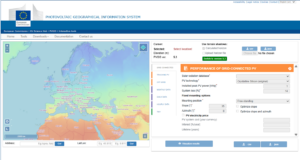
PVGIS provides location-based solar radiation and photovoltaic energy-production estimates, helping users assess the feasibility and potential performance of PV systems during early planning and design.
Data requirementsProject location; basic PV system information such as installed capacity, panel orientation and tilt.
-
Why it fits
Allows users to select tools by need, phase, difficulty, data requirement and sustainability goal.
Data requirementsBasic information about the user's needs and preferences, such as project phase, purpose, difficulty level, available data and sustainability goals.

You selected Construction. What do you need?
Select a need to see the recommended tools, why each one fits and which data you need to use it.
-
Why it fits
Helps record material and component information to support future maintenance, reuse, recycling and circularity.
Data requirementsInformation about the characteristics, and quantities of the different materials used in the building
-
Why it fits
Helps identify what needs to be checked on site, such as installed systems, test results and performance evidence.
Data requirementsBuilding location and weather file; building geometry and orientation; thermal zones; envelope constructions and material properties; windows, glazing and shading; occupancy and activity schedules; lighting and equipment loads; ventilation and infiltration rates; heating, cooling and HVAC-system information; renewable-energy systems; and operational schedules. The required level of detail depends on the purpose and stage of the assessment
Why it fitsCalculates U-values and evaluates heat and moisture behaviour in walls, roofs and floors, helping users verify whether proposed or installed envelope assemblies provide the expected thermal performance.
Data requirementsComponent layers, material type, thickness, climate assumptions and boundary conditions.
-
Tool recommendations for this need are being finalised. In the meantime, you can browse every tool in the Toolbox.
Go to the Toolbox (opens in a new tab) -
Tool recommendations for this need are being finalised. In the meantime, you can browse every tool in the Toolbox.
Go to the Toolbox (opens in a new tab) -
Why it fits
Allows users to select tools by phase, need, difficulty, data requirement and sustainability goal.
Data requirementsBasic information about the user's needs and preferences, such as project phase, purpose, difficulty level, available data and sustainability goals.
You selected Operation and Use. What do you need?
Select a need to see the recommended tools, why each one fits and which data you need to use it.
-
Tool recommendations for this need are being finalised. In the meantime, you can browse every tool in the Toolbox.
Go to the Toolbox (opens in a new tab) -
Why it fits
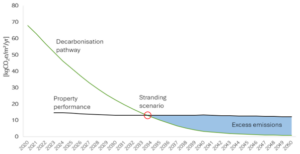
Helps assess operational carbon emissions and understand carbon-risk pathways for real estate.
Data requirementsCRREM requires basic asset information such as building location, property type and floor area, together with operational energy consumption data by energy source. Users may also need annual GHG emissions, carbon intensity, reporting year, expected energy/carbon reduction, and planned retrofit actions to compare the building with CRREM decarbonisation pathways.
Why it fitsProvides guidance and practical instruments for CO₂ accounting, operational emissions and climate-oriented building management, supporting strategies for moving buildings towards carbon-neutral operation.
Data requirementsBuilding operation data, energy and emissions information, project strategy context and climate-action objectives.
-
Why it fits
Monitors building energy performance by connecting meters, sensors and existing data sources, supporting continuous and comparable performance tracking over time.
Data requirementsAccess to building energy meters, sub-meters or existing utility/consumption data; ideally integration with building management systems (BMS) or IoT sensors; basic building/asset information for benchmarking.
-
Tool recommendations for this need are being finalised. In the meantime, you can browse every tool in the Toolbox.
Go to the Toolbox (opens in a new tab) -
Why it fits
Allows users to select tools by phase, need, difficulty, data requirement and sustainability goal.
Data requirementsBasic information about the user's needs and preferences, such as project phase, purpose, difficulty level, available data and sustainability goals.

You selected End-of-life. What do you need?
Select a need to see the recommended tools, why each one fits and which data you need to use it.
-
Why it fits
Assesses carbon and circularity performance and explores improvements through circular strategies.
Data requirementsTo use the tool the user needs the environmental profile of a product in the form of its product carbon footprint for the five life cycle phases raw materials, manufacturing, distribution, use and disposal.
Why it fitsCalculates carbon and environmental impacts across the building life cycle.
Data requirementsOne Click LCA requires basic project information, such as building type, location and floor area, together with material quantities from a BOQ, BIM model, Excel file or design documents. For end-of-life assessment, users also need assumptions about demolition, reuse, recycling, waste treatment, transport and disposal scenarios.
-
Why it fits
Identifies the life-cycle stages, materials and activities contributing most to environmental impacts.
Data requirementsOne Click LCA requires basic project information, such as building type, location and floor area, together with material quantities from a BOQ, BIM model, Excel file or design documents. For end-of-life assessment, users also need assumptions about demolition, reuse, recycling, waste treatment, transport and disposal scenarios.
Why it fitsAssesses building environmental impacts across life-cycle stages and supports comparison between them.
Data requirementsUsers need building geometry, construction assemblies, material specifications, and building product information. Basic knowledge of life cycle assessment (LCA) and sustainable construction is recommended, although the tool provides guidance through the assessment process. The tool uses verified environmental data, including EPDs available through the baubook database, to perform the assessment.
-
Why it fits
Supports the environmental assessment of buildings and comparison of impacts across life-cycle stages.
Data requirementsUsers need building geometry, construction assemblies, material specifications, and building product information. Basic knowledge of life cycle assessment (LCA) and sustainable construction is recommended, although the tool provides guidance through the assessment process. The tool uses verified environmental data, including EPDs available through the baubook database, to perform the assessment.
-
Tool recommendations for this need are being finalised. In the meantime, you can browse every tool in the Toolbox.
Go to the Toolbox (opens in a new tab) -
Tool recommendations for this need are being finalised. In the meantime, you can browse every tool in the Toolbox.
Go to the Toolbox (opens in a new tab) -
Why it fits
Allows users to select tools by phase, need, difficulty, data requirement and sustainability goal.
Data requirementsBasic information about the user's needs and preferences, such as project phase, purpose, difficulty level, available data and sustainability goals.


You selected Education support. What do you need?
Select a need to see the recommended tools, why each one fits and which data you need to use it.
-
Mural
Why it fitsSupports real-time collaboration, co-creation, workshops and collaborative decision-making through interactive shared workspaces.
Data requirementsNot specified yet.
Why it fitsSupports collaborative stakeholder mapping, helping participants identify relevant actors, understand their roles and relationships, and discuss engagement and partnership opportunities during workshops.
Data requirementsA clearly defined project, challenge or initiative; an initial list of relevant organisations or stakeholder groups; basic knowledge of their sector, role and importance; and preferably input from a multidisciplinary team or workshop participants.
-
Why it fits
Supports brainstorming, creativity, concept development and collaborative planning using digital whiteboards and visual thinking tools.
Data requirementsList of stakeholders, their roles, interests, influence/power, level of involvement, and preferred communication channels. A clear project objective or workshop topic is also needed.
Mural
Why it fitsSupports visual ideation, brainstorming and collaborative development of concepts and ideas.
Data requirementsNot specified yet.
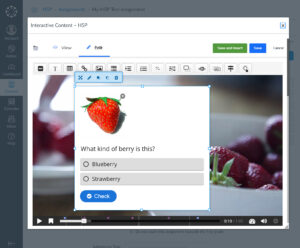
Why it fitsSupports the creation, sharing and reuse of interactive educational content, including quizzes, presentations, videos and web-based learning activities.
Data requirementsNo special data or technical inputs are required beyond the training content itself (text, images, video, audio). Educators need access to an H5P-enabled platform (Moodle, WordPress, or H5P.com) and the training content or learning objectives they wish to translate into interactive format. No programming skills are required; basic digital literacy is sufficient.
-
Why it fits
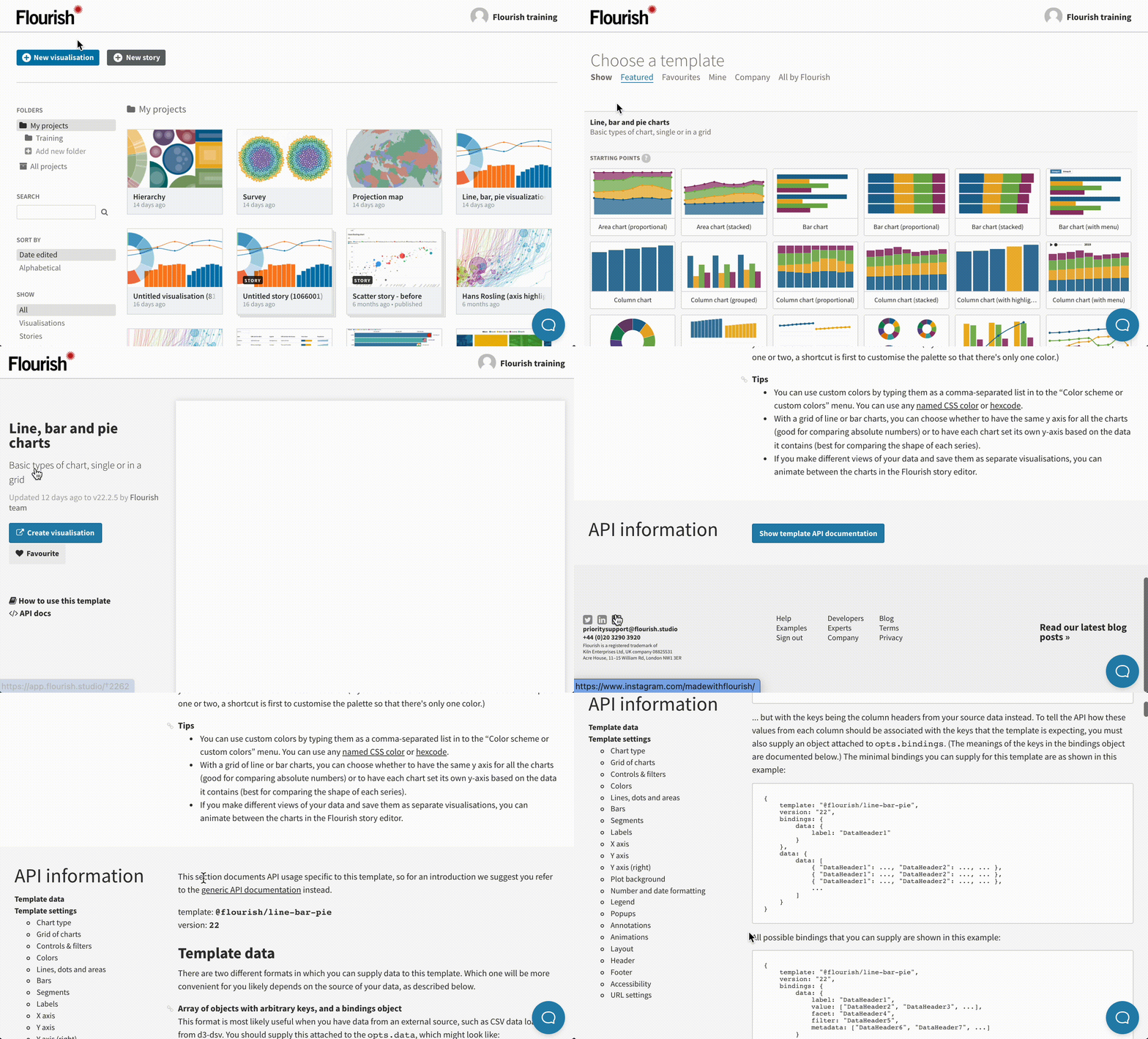
Supports the creation of interactive charts, dashboards, maps and visual stories that help communicate complex information effectively.
Data requirementsUsers need structured data, usually organised in tables, spreadsheets or CSV files. Depending on the selected template, required data may include numerical indicators, categories, time series, geographic information, survey responses, flow data, images or text labels. Previous information should include the communication objective, target audience, key message, dataset structure, visualisation type and any branding or accessibility requirements.
Why it fitsSupports visual mapping, diagrams and presentation of ideas through flexible digital boards.
Data requirementsList of stakeholders, their roles, interests, influence/power, level of involvement, and preferred communication channels. A clear project objective or workshop topic is also needed.
-
Why it fits
UAST provides a structured EU-level approach together with climate-risk information, guidance, tools and practical examples. These resources can support professional training, case-based learning and evidence-based decisions on climate adaptation and resilience.
Data requirementsLimited prior data is needed for learning purposes. For case-based assessment, users can use information on climate hazards, exposure, vulnerability, adaptive capacity, existing plans, stakeholder knowledge and local priorities.
Why it fitsProvides structured guidance, studies and practical instruments on carbon-neutral buildings, CO₂ accounting and climate-action roadmaps, supporting case-based learning and evidence-based decisions.
Data requirementsNo specific data are required to explore the guidance. For a practical exercise, users can use sample building energy-consumption and emissions data, basic building information, a baseline year and climate-action objectives.
Why it fitsSupports practical, calculation-based learning about U-values, insulation, thermal bridges and moisture behaviour. Learners can compare envelope assemblies and understand how material choices affect building performance.
Data requirementsComponent layers, material type, thickness, climate assumptions and boundary conditions.
Why it fitsSupports practical learning about building LCA, embodied environmental impacts and lifecycle stages. Learners can model building components, compare materials and interpret environmental indicators using recognised ÖKOBAUDAT datasets.
Data requirementsBuilding elements, component layers, material quantities, uses, selected datasets and project assumptions.
-
Why it fits
Allows users to identify additional tools based on their support needs, intended application, level of expertise and sustainability objectives.
Data requirementsBasic information about the user's needs and preferences, such as project phase, purpose, difficulty level, available data and sustainability goals.
Going Sustainable – Further exploitation tools
For further development, users can continue with additional reflection activities to explore the topics proposed in the guidance tool. These exercises support discussion, self-assessment, planning and the definition of next steps, helping users translate the guidance into practical actions, and to have a clear overview of their needs that can be supported by the project.
-
Strategy
Going sustainable in buildings – Strategy
-
Planning and Design
Going sustainable in buildings – Planning and Design
-
Construction
Going sustainable in buildings – Construction
-
Operation and Use
Going sustainable in buildings – Operation and Use
-
End-of-life
Going sustainable in buildings – End-of-Life